For years, brand messaging has lived in a strange limbo.
On one hand, we obsess over pixel-perfect in-app experiences, carefully designed onboarding flows, and brand consistency across every digital surface. On the other hand, one of our most powerful customer touchpoints—text messaging—has largely reduced brands to… a phone number.
RCS changes that. And at the center of that shift is the RCS Business Profile.
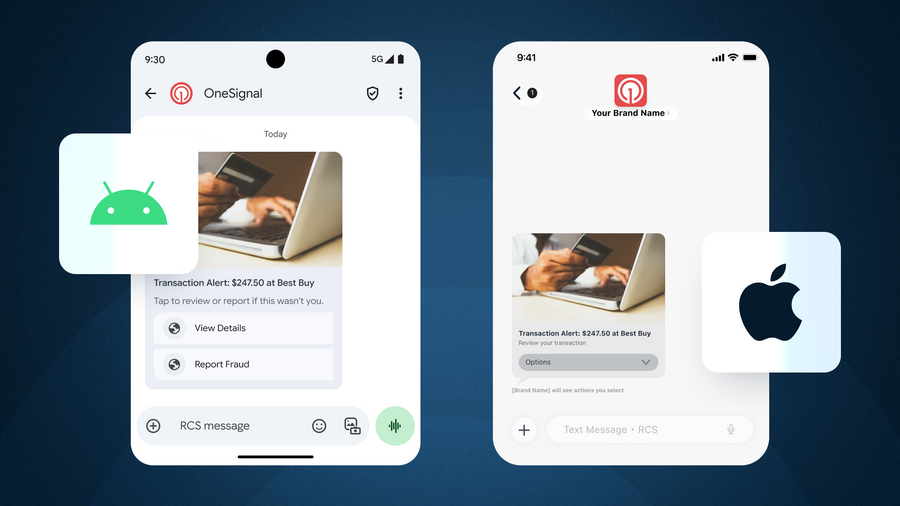
If you’re evaluating RCS (or actively designing campaigns already), understanding how your brand actually appears to users—on Android and iOS—is perhaps the most compelling reason to move beyond SMS.
If you’re interested in exploring (and borrowing) some ready-made RCS building blocks, this community Figma file includes the essential RCS components you need to mock messages and prototype flows.
The difference between a number and a name
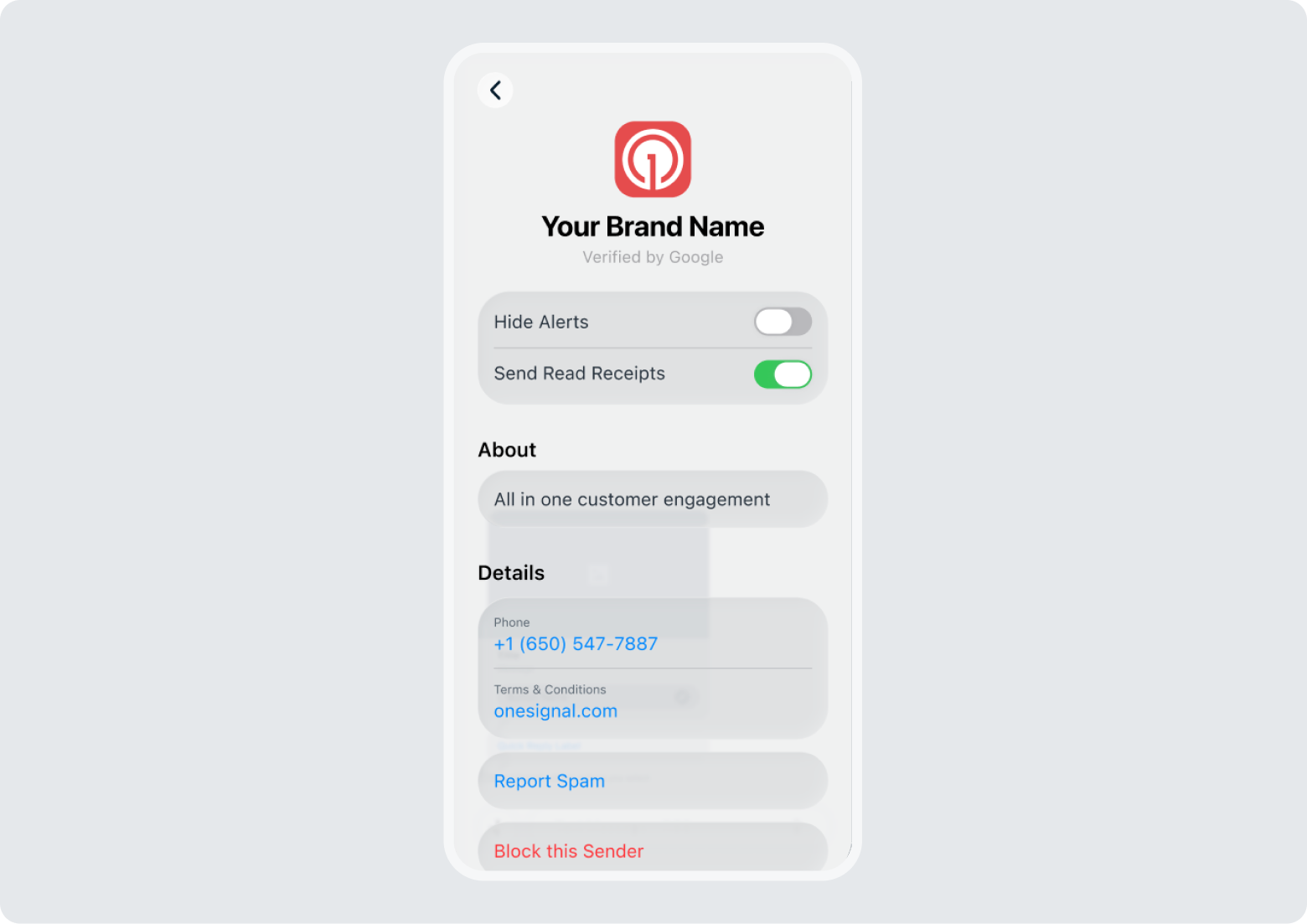
An RCS Business Profile is your brand’s verified identity inside the native messaging inbox.

Instead of showing up as an unknown number or a bare sender ID (like SMS), RCS lets brands present a rich, trusted contact card that includes:
- Brand name (not a number)
- Logo and brand imagery
- Business description
- Contact details and support links
- Verification indicators (depending on carrier and device)
Suddenly, your customers go from receiving “a message” to opening (and owning) their own branded conversation space—one that is instantly recognizable and easy to return to with confidence.
Trust is decided before the message is read
Do not underestimate the power of the blue checkmark.
In a world where users are constantly on guard against phishing, scams, and spam, verification signals do real psychological work:
- “This brand is legitimate.”
- “This message is safe to engage with.”
- “I’ve interacted with them before.”
That trust compounds over time. The more consistently you show up as a verified brand, the more your messages feel like a service, instead of the digital equivalent of a paper receipt that you throw away without a second thought.
How RCS Business Profiles look to Android Users
On Android devices with RCS enabled (via Google Messages and supported carriers), Business Profiles are deeply integrated into the messaging experience.
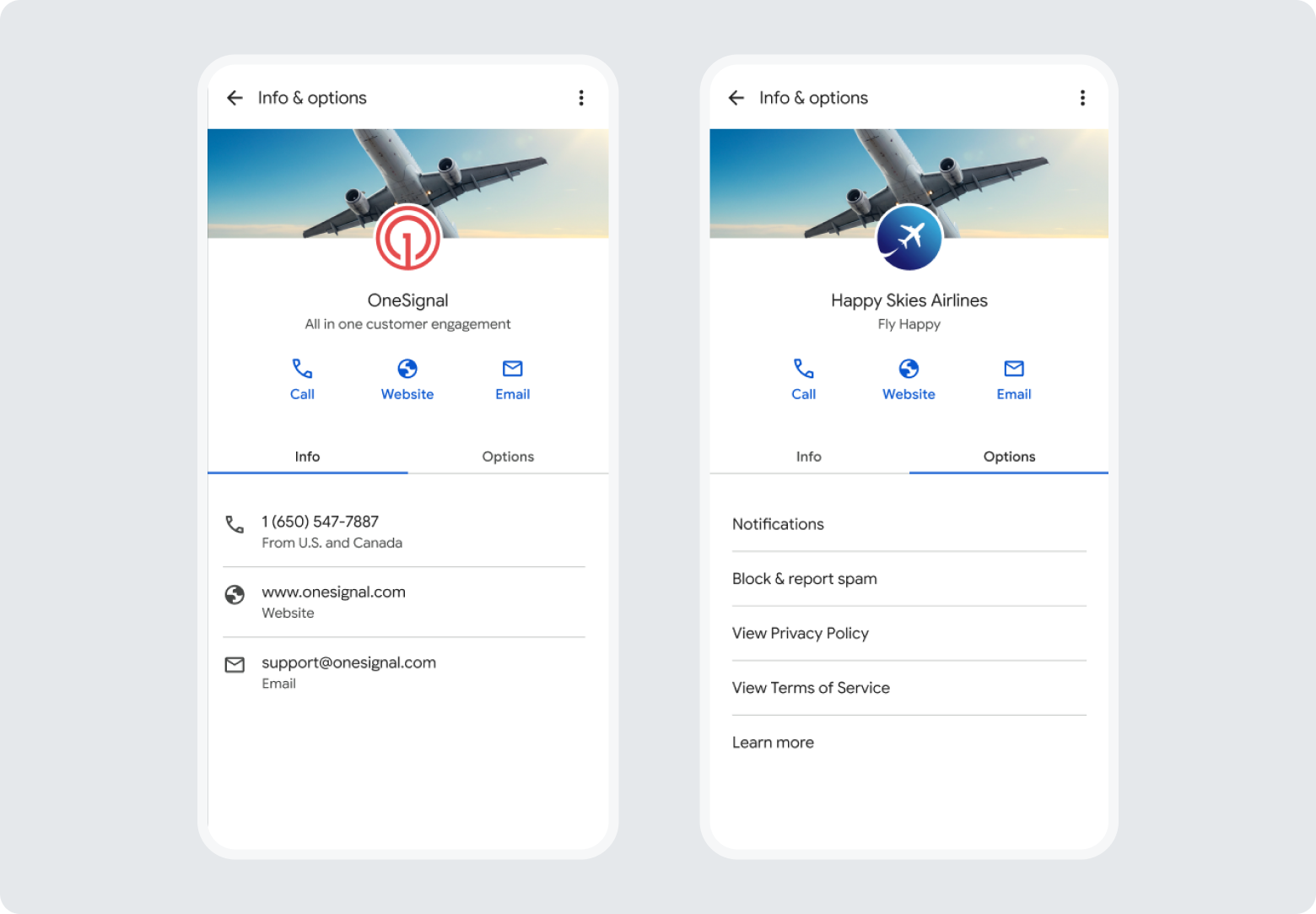
From the user’s perspective, tapping on your brand logo reveals verified business details:
- Your brand name, logo, and banner appear as a trusted contact
- Contact information appears for easy access to call, visit your website, or email
- Full control over notification preferences, privacy settings, and more
How RCS Business Profiles look to iPhone users
With Apple’s support for RCS in iOS, the messaging landscape has finally converged.
While the visual presentation differs slightly from Android today, the core value still holds: Conversations, and by extension the entire customer relationship, feels more intentional and legitimate than SMS
The key shift for brands is this: your messaging identity now travels with you across ecosystems.
Remember, designing with RCS Business Profiles in mind is less about optimizing for one OS. It’s about future-proofing how your brand shows up in the most personal inbox your customers have.
A few rules of the road…
Before you jump into layouts, buttons, and message flows, get these fundamentals right:
- Treat your RCS profile like a landing page
Your logo, name, and description should be instantly recognizable and aligned with your app or product—not your legal entity. - Design for recognition, not novelty
This isn’t the place to experiment with edgy branding. Familiarity drives trust. - Assume users will tap your profile
Make sure what they see reinforces credibility and answers “Why am I getting this message?” - Plan for cross-platform consistency
Even if UI details vary, your brand voice, visuals, and intent should feel unified across Android and iOS.
See it, before you send it
This is exactly why we released the free RCS Community Figma Kit.
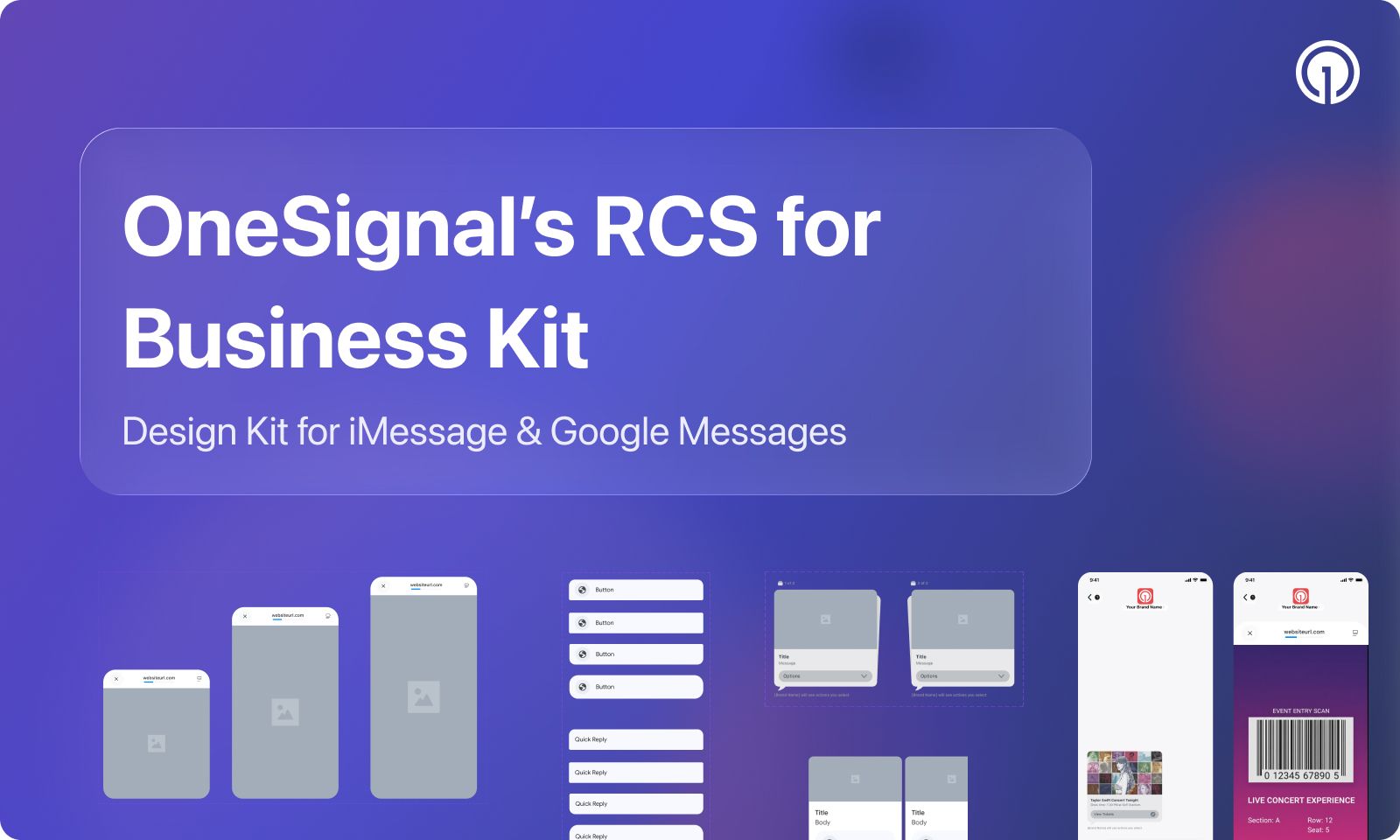
It’s designed to help teams:
- Visualize how branded RCS messages actually appear
- Design with Business Profiles in mind from day one
- Align marketing, product, and design teams around a shared source of truth
If RCS is going to be part of your messaging strategy, design shouldn’t be an afterthought—it should be the starting point.
Bookmark the free RCS Figma Kit!
Text marketing has grown up. And it finally looks the part.
RCS is one of the strongest signs that brand messaging has evolved from one-off blasts to ongoing, trusted conversations. The kind users expect from modern apps and services.
And platforms like OneSignal exist to make that shift practical: helping teams orchestrate branded, cross-channel messaging experiences without sacrificing speed, control, or scale.
If you’re ready to start designing, and sending, messages that actually look and feel like your brand, now’s the time to get started. We’ll even help you get approved for RCS fast.